How to Remove a local group on Windows-like systems with Ansible?
Note: Be very careful about typing the right group name because the delete operation is irreversible!
Ansible Remove a group on Windows-like systems
ansible.windows.win_group- Add or remove groups
Today we're talking about Ansible module win_group.
The full name is ansible.windows.win_group , which means that is part of the collection of modules specialized to interact with Windows target host.
It's a module pretty stable and out for years.
It works in Windows and Windows Server operating systems.
It adds and removes local groups.
For Linux target use the group module instead.
Parameters
- name string - group name
- state string - present/absent
- description string - description of the group
The only required is "name", which is the group name. The "state" parameter allows us to remove or delete a group, in our use case we need to specify "absent" to remove a group. The "description" parameter allows you to specify a description of the group, it's not necessary in this use case.
Playbook
How to remove a local group on Windows-like systems with Ansible Playbook.
I'm going to show you how to automate the deletion of the "accounting" group on my Playbook Windows machine.
code
---
- name: windows group remove
  hosts: all
  vars:
    grp_name: 'accounting'
  tasks:
    - name: remove group
      ansible.windows.win_group:
        name: "{{ grp_name }}"
        state: absent
execution
ansible-pilot $ ansible-playbook -i virtualmachines/win/inventory windows/group_remove.yml
PLAY [windows group remove] ***********************************************************************
TASK [Gathering Facts] ****************************************************************************
ok: [WindowsServer]
TASK [remove group] *******************************************************************************
changed: [WindowsServer]
PLAY RECAP ****************************************************************************************
WindowsServer              : ok=2    changed=1    unreachable=0    failed=0    skipped=0    rescued=0    ignored=0
ansible-pilot $
idempotency
ansible-pilot $ ansible-playbook -i virtualmachines/win/inventory windows/group_remove.yml
PLAY [windows group remove] ***********************************************************************
TASK [Gathering Facts] ****************************************************************************
ok: [WindowsServer]
TASK [remove group] *******************************************************************************
ok: [WindowsServer]
PLAY RECAP ****************************************************************************************
WindowsServer              : ok=2    changed=0    unreachable=0    failed=0    skipped=0    rescued=0    ignored=0
ansible-pilot $
before execution
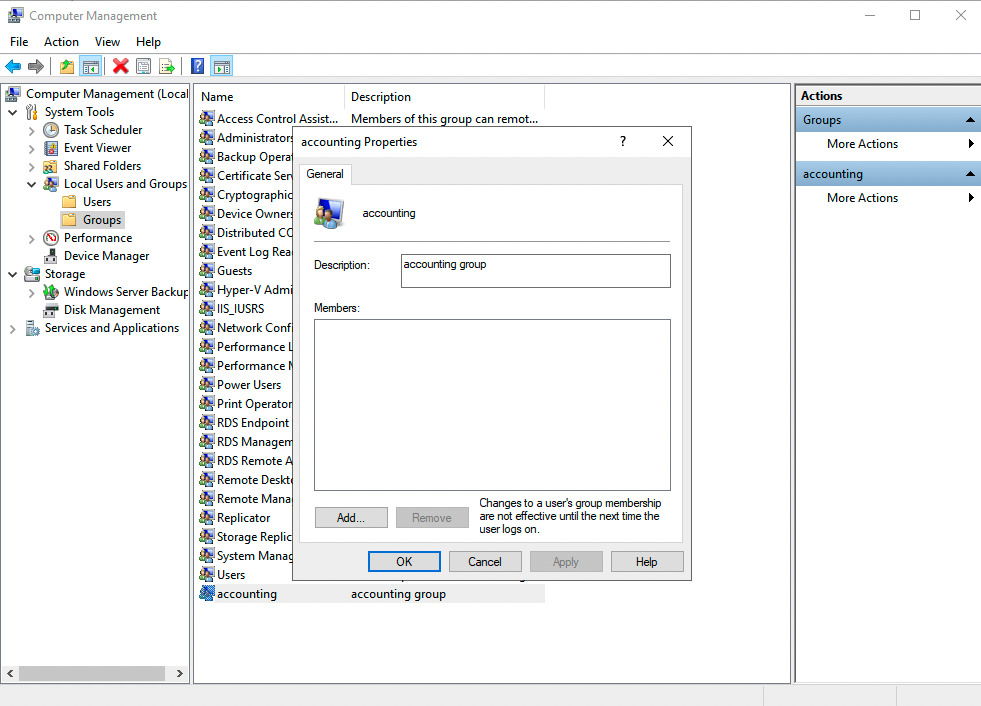
after execution

Conclusion
Now you know how to remove a local group on Windows-like systems with Ansible.